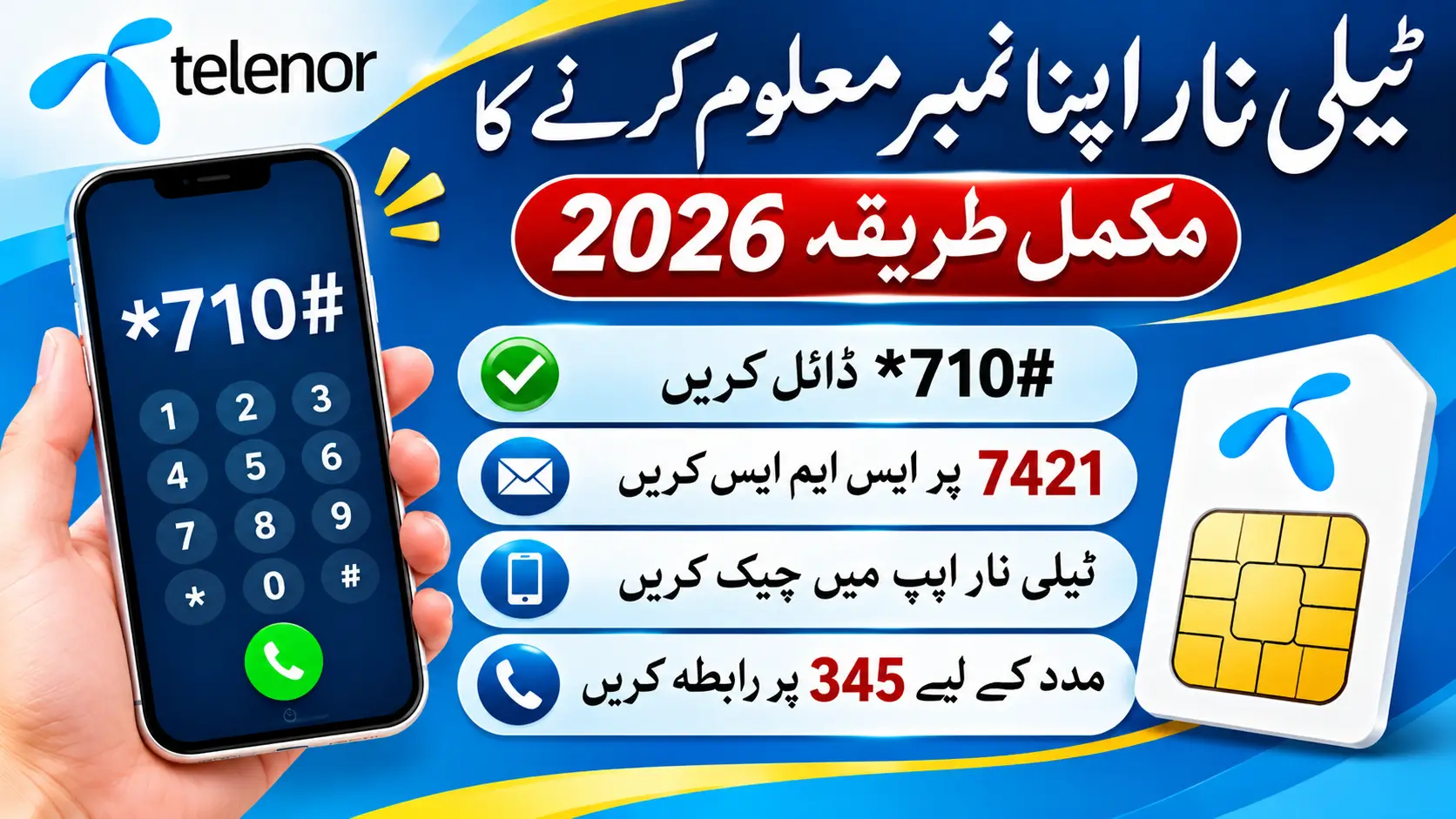
Telenor Number Check Code 2026
If you have forgotten your Telenor SIM number, you can try the self-service options documented by Telenor. Its published self-service guide lists *710# as a menu that includes an Own Number Status option. The same document also lists SMS to 7421 for SIM number or CLI information.
Many websites recommend *8888# as the Telenor number check code, but this code was not listed as the own-number checking method in the Telenor document reviewed for this guide. Its current operation and charges could not be independently verified.
Here are the available methods, alternative options, and important differences between checking your mobile number and checking your Telenor balance.
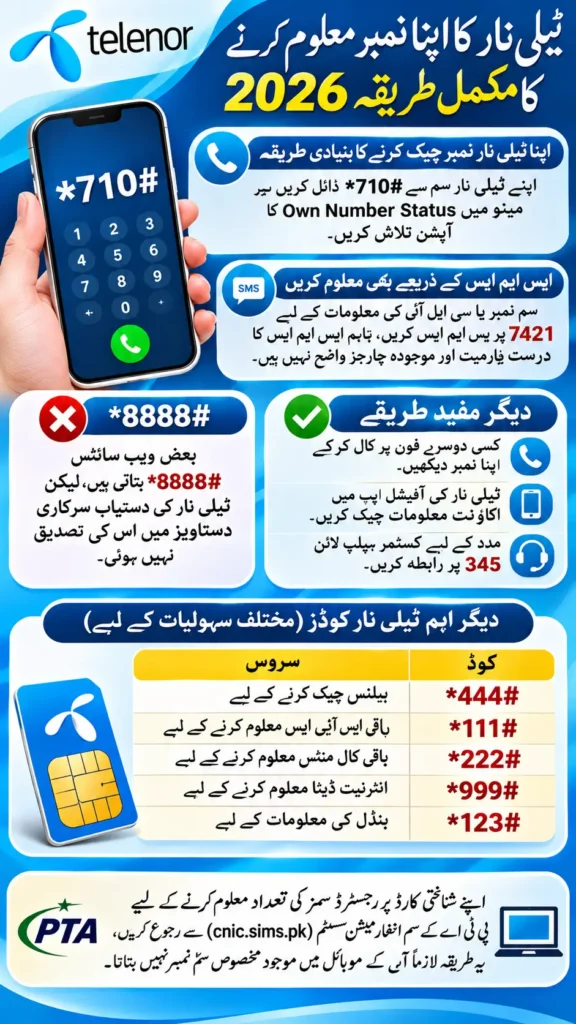
Telenor Number Check Code 2026 at a Glance
| Purpose | Code or method | Important detail |
|---|---|---|
| Access the own-number menu | *710# | Telenor’s document lists an Own Number Status option |
| Check SIM number or CLI through SMS | SMS to 7421 | Listed in Telenor’s document; message format and current fee are unspecified |
| Check Telenor balance | *444# | A balance inquiry, not an own-number check |
| Check remaining SMS | *111# | A resource inquiry, not an own-number check |
| Contact customer support | 345 | Listed as Telenor’s customer helpline |
| Check SIMs registered against a CNIC | PTA SIM Information System | Different from identifying the SIM in your phone |
Source: Telenor’s published self-service codes document and the PTA SIM Information System.
The Telenor document does not display a publication or update date. Therefore, its listed methods should not be treated as a guarantee that every code or service is working on every connection today.
How to Check Your Telenor Number Using *710#
Telenor’s published self-service document lists *710# as a menu that includes an Own Number Status option. This makes it the best-documented USSD method identified during this research.
Follow these steps:
- Insert your Telenor SIM into your phone and make sure it has network coverage.
- Open the phone’s dialler.
- Dial
*710#from the Telenor SIM. - Check the menu for the Own Number Status option.
- Select the relevant option and follow the instructions displayed on your screen.
The exact menu sequence and current availability have not been independently tested. If the option does not appear or the code fails, try another method described below.
Can You Check Your Telenor Number by SMS?
Telenor’s published self-service document lists SMS to 7421 for SIM number or CLI information.
However, the document does not specify the exact message format, confirm that a blank SMS is required, or state the current charge. For that reason, it would be inaccurate to guarantee that sending a blank message will always return your number or that the service is free.
If you want to try this method, consult Telenor’s current official support information for the required message format and applicable charges before sending an SMS.
Other Ways to Find Your Telenor SIM Number
If the documented code or SMS option does not work, these alternatives may help.
1. Call Another Phone
If your Telenor SIM can make outgoing calls, call a trusted phone nearby.
Check the incoming call screen for your number. This method can be useful when you have forgotten your number but your SIM is still working.
Keep in mind that the number might not appear if caller ID is hidden, unavailable or affected by network settings. Normal call charges may apply.
2. Check the Official Telenor App
Telenor’s app documentation describes account management, balance details and usage information.
You can check the official app for account or SIM details. However, the exact current screen where your mobile number appears was not confirmed during this research, so the steps may differ from older online guides.
Use the official app source rather than downloading an application from an unknown website.
3. Contact Telenor Customer Support
Telenor’s published self-service document lists 345 as the customer helpline for individual prepaid and postpaid customers.
If you cannot identify your number through the available methods, contact support and explain the issue. Follow any identity-verification instructions provided by the operator.
The document does not establish that every call to 345 is free, so check applicable charges if necessary.
Is *8888# the Official Telenor Number Check Code?
Many third-party websites recommend *8888# for finding a Telenor number. However, Telenor’s published self-service document lists *710# for a menu containing an Own Number Status option and does not list *8888# as the own-number method.
This creates a difference between commonly repeated online advice and the operator’s documented instructions.
| Claim | What the research found |
|---|---|
*8888# is widely reported online | Yes, several third-party guides recommend it |
Telenor’s reviewed document lists *8888# for own-number checking | No |
| The code is guaranteed to work on every Telenor SIM | Not verified |
| The code is always free | Not verified |
Telenor documents *710# with an Own Number Status option | Yes |
The absence of *8888# from the document does not prove that it has never worked or cannot work on any connection. It means that its current operation could not be confirmed from the official source reviewed.
For an evidence-based approach, start with the documented *710# menu rather than relying on an unverified guarantee about *8888#.
Telenor Number Check Code vs Balance and Package Codes
A number-checking method helps identify your mobile number. A balance or package code provides different account information.
Telenor’s published self-service document lists the following additional codes:
| Service | Code | Purpose |
|---|---|---|
| Own-number menu | *710# | Access the menu containing Own Number Status |
| Balance inquiry | *444# | Check account balance |
| Remaining SMS | *111# | Check remaining SMS resources |
| Remaining voice resources | *222# | Check remaining voice resources |
| Remaining internet data | *999# | Check remaining data resources |
| Bundle information | *123# | Access bundle information |
These codes are documented in Telenor’s self-service guide, but its publication date is not shown. Their current availability should be confirmed if a code fails.
The document also lists a charge of 20 paisa plus tax, equivalent to 24 paisa at the stated rate, for several balance and resource inquiries. Because the document is undated, this should not be presented as a confirmed current tariff for October 2026. It also should not be applied automatically to the own-number menu or SMS service.
Why Is Your Telenor Number Check Code Not Working?
If a code does not work, try these practical steps before assuming that your SIM has been blocked or deactivated.
Check the Active SIM
If your phone has two SIM cards, make sure you are dialling from the Telenor SIM rather than the other network.
Check Network Coverage
A weak signal or temporary network problem may prevent a USSD request from completing. Move to an area with better coverage and try again.
Restart Your Phone
Restarting your phone may help if the SIM is not registering correctly with the network.
Try Another Method
If *710# does not open the expected menu, consider the SMS method listed in Telenor’s document, calling another phone, or contacting customer support.
Confirm the Current Instructions
USSD menus, SMS services and charges can change. If an option is unavailable, check Telenor’s official support information instead of repeatedly trying codes from unverified websites.
Can You Find Your Telenor Number Using Your CNIC?
Checking SIMs registered against your CNIC is different from finding the number of the SIM currently inside your phone.
The PTA SIM Information System allows users to check the number of SIM connections registered against a CNIC. This should not be confused with a direct own-number lookup for a particular Telenor SIM.
If you have forgotten the number of your current SIM, the documented Telenor self-service menu or the operator’s SIM number information service is more directly relevant.
Frequently Asked Questions
1. What is the Telenor number check code in 2026?
Telenor’s published self-service document lists *710# as a menu containing an Own Number Status option. Its current operation on every connection has not been independently confirmed.
2. How do I check my Telenor number using *710#?
Dial *710# from your Telenor SIM and look for the Own Number Status option. Follow the menu instructions if it is available.
3. Is *8888# an official Telenor number-check code?
Several third-party websites recommend it, but the Telenor document reviewed for this article does not list it as the own-number checking method. Its current functionality could not be verified.
4. Can I find my Telenor number through SMS?
Telenor’s published document lists SMS to 7421 for SIM number or CLI information. It does not specify the required message format or current charges.
5. Is SMS to 7421 free?
The reviewed operator document does not state whether the service is currently free. Check Telenor’s current official instructions before sending a message.
6. Can I check my Telenor number without balance?
The available evidence does not establish whether every documented number-checking method works with zero balance. Do not assume that an unverified code is free simply because a website describes it that way.
7. What should I do if the Telenor number-check code does not work?
Check that you are using the Telenor SIM, confirm network coverage, and try the documented menu again. You can also consider the SMS option listed by Telenor or contact its customer helpline at 345.
8. Is *444# a number-check code?
No. Telenor’s published document identifies *444# as a balance inquiry code, not an own-number checking method.
9. Can the PTA website show my exact Telenor number?
The PTA SIM Information System checks SIM connections registered against a CNIC. It should not be treated as a guaranteed way to retrieve the exact number of the SIM in your phone.
10. How can I contact Telenor for help?
Telenor’s published self-service document lists 345 as the customer helpline. Confirm current access and call charges if you need assistance.
Conclusion
If you have forgotten your Telenor number, start with *710# and look for the Own Number Status option. Telenor’s published self-service document also lists SMS to 7421 for SIM number or CLI information, although the message format and current charges are unspecified.
The commonly reported *8888# code could not be confirmed as an official method from the document reviewed. If the documented options do not work, try checking your caller ID by calling another phone or contact Telenor support at 345.
For the most reliable result, follow the operator’s current instructions and avoid assuming that a code or fee mentioned on an undated document is guaranteed to remain unchanged.